Alpha RangeFlux is in alpha — the web app is open. Features and limits may change.

Poker GTO solver for web and desktop Bet or check? Revisit your decisions with GTO.

Set the board and ranges, then compare strategy and expected value for each hand in heads-up postflop play. Solve in the cloud from your browser or on your own computer with the desktop app. Your ranges and solutions follow your account. RangeFlux is now in alpha.

Free plan — sign in with Google. Nothing to install.

  • Web
  • macOS
  • Windows
  • Linux
  • iOS / Android Soon
RangeFlux analysis with a hand strategy grid, action tree and expected value panel
Your ranges. Your board. A closer look at each decision.
Read a decision

See what each hand can do.

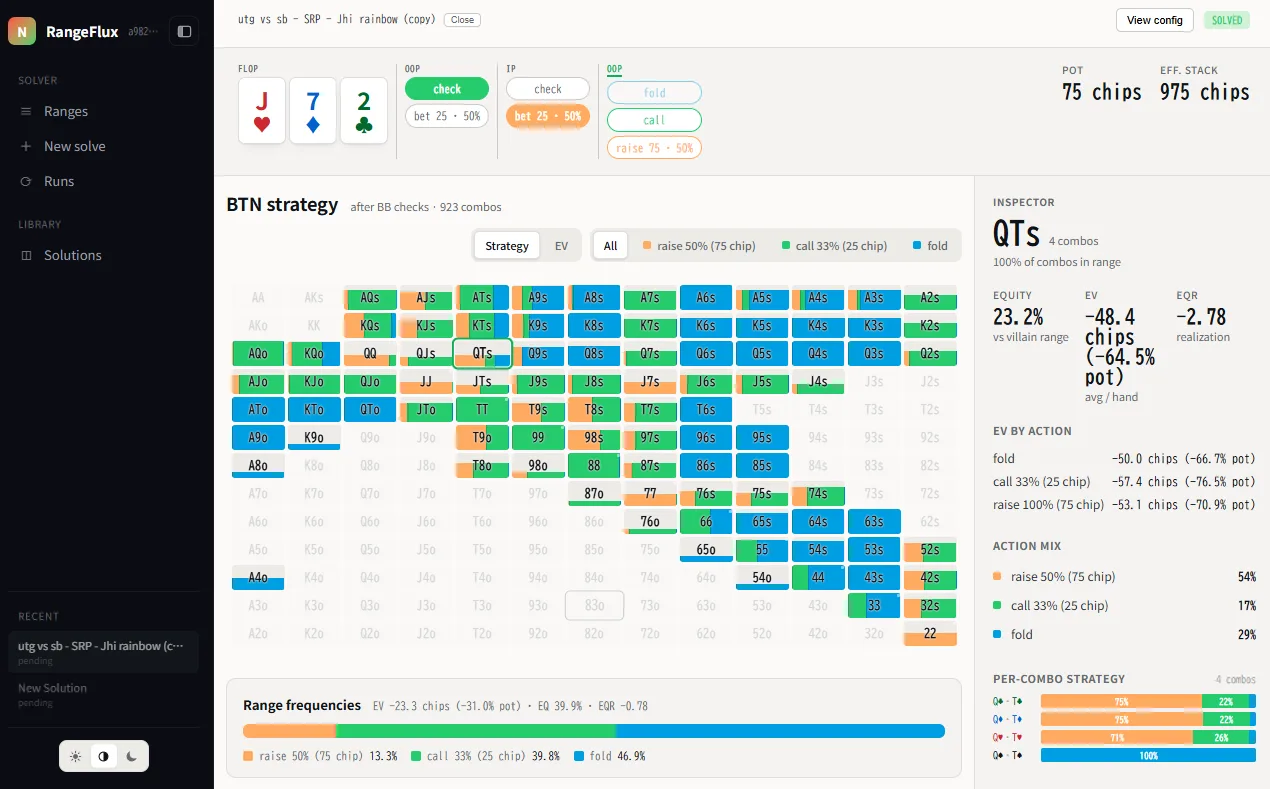
On this J♠ 7♥ 2♦ flop, start with the strategy grid, then look at the expected value of the available actions.

RangeFlux example on a jack-seven-deuce flop, showing strategy frequencies and action EV
An example screen from a development build; the layout may change in future updates. The frequencies and EV come from one set of example solve settings and are not a recommended strategy. Your results depend on your ranges, bet sizes and other solve settings. Open the full-size screenshot →
  1. Find your hand

    The colored parts of each cell show how often a hand takes each action. Use the legend to read the mix.

  2. Compare the action EV

    Select a hand and read EV by action in the Inspector. Compare the expected value of the choices at that node.

  3. Follow the next decision

    Use the action tree above the grid to explore the next player’s options and later streets.

Look closer at the output
Strategy frequencies
Enlarged hand strategy grid with mixed action frequencies
Expected value by action
Enlarged Inspector showing a selected hand and its action EV
Learn how to read strategy and EV →
One account, every device

Start on one device. Pick up on another.

Sign in with the same Google account in the web app or the desktop app, and your study material is already there.

Solve in the cloud or on your own computer

Cloud solve

Web app · any plan
  • Runs on our servers, so any computer with a browser is enough.
  • Monthly cloud solves depend on your plan. A failed solve gives its slot back, unless it failed because your storage was full.
  • Results are saved to your account.
See plans →

Local solve

Desktop app · one-time license
  • Runs on your own CPU on macOS, Windows and Linux.
  • Unlimited solves that do not use your monthly cloud solves.
  • Keeps solving offline for 24 hours after the last license check.
  • Results stay on your computer until you choose Upload to cloud.
Get the desktop app →

iOS and Android apps are planned.

Beyond a single solve

Build ranges, study packs, then drill them.

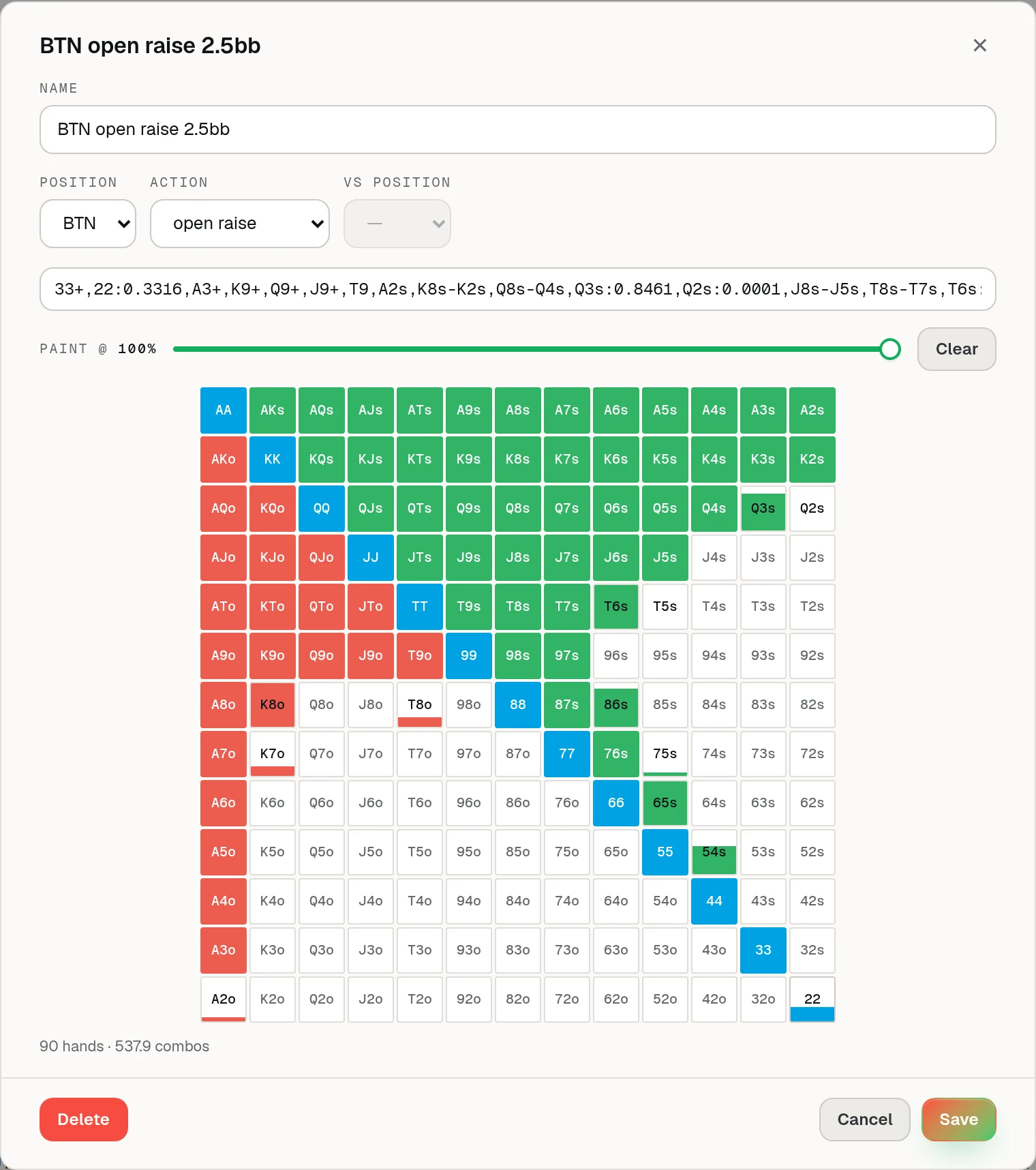
RangeFlux range editor with a BTN open range painted on the 13 by 13 hand grid

Range editor

Paste a range string or paint the 13×13 grid, with partial weights for mixed hands. Tag each range by position and action so it is ready for your next solve.

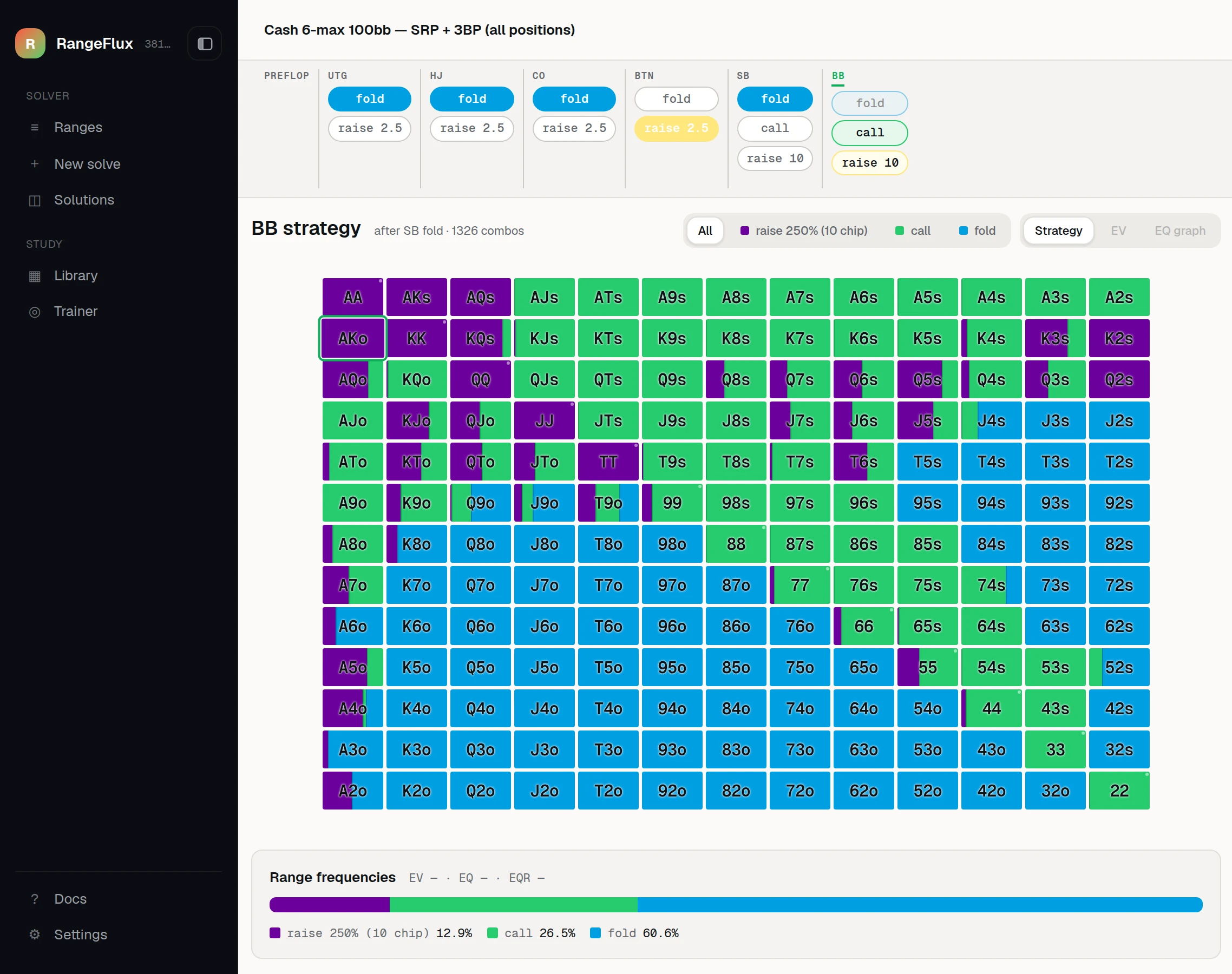
RangeFlux Library walking a 6-max 100bb pack’s preflop tree to the big blind’s strategy facing a button open

Library

Browse pre-computed solution packs by game type and stack depth. Walk the preflop tree to a spot, pick a flop and open it in the full viewer. Packs do not use your solve quota.

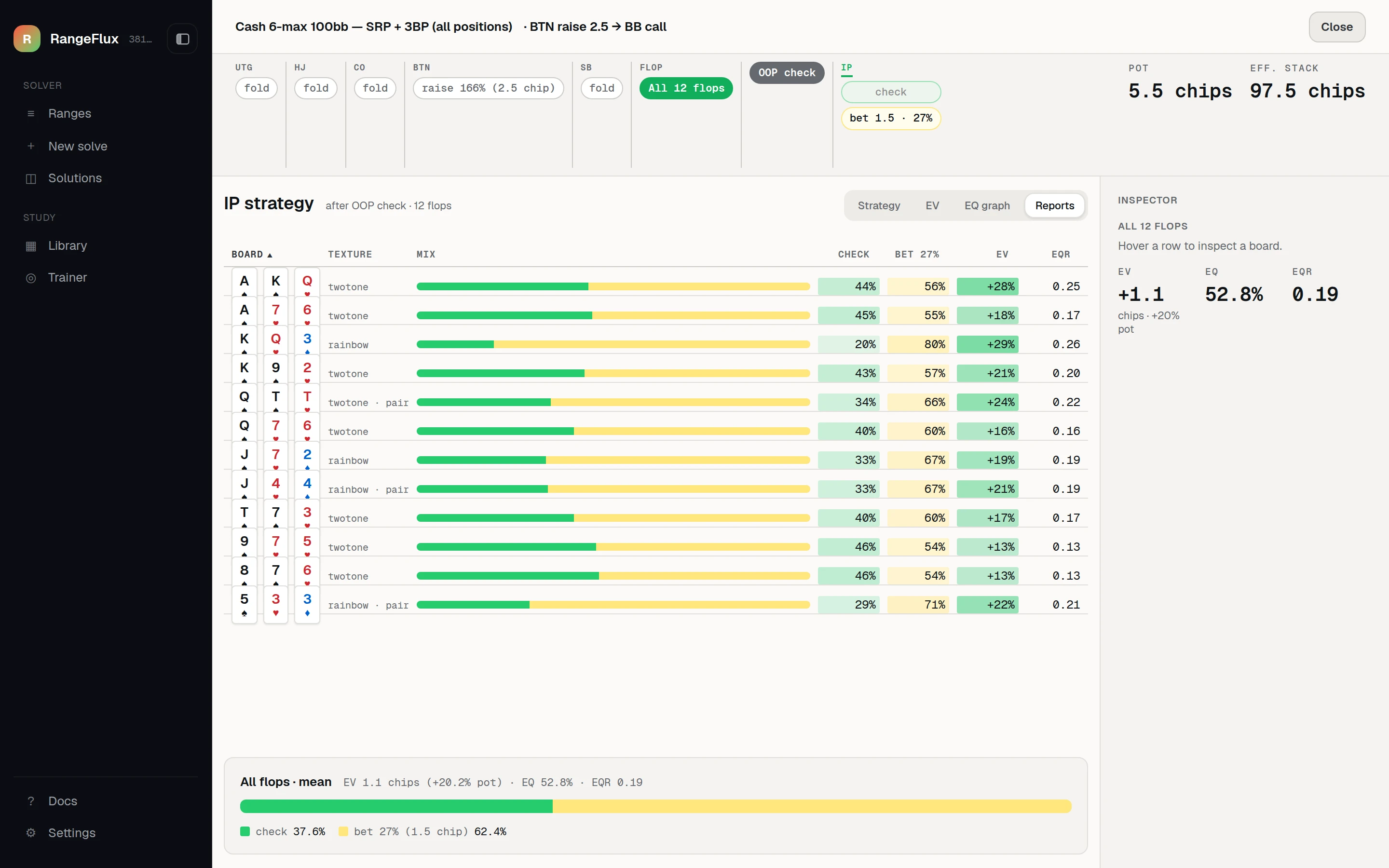
RangeFlux aggregate report listing the button’s check and bet frequencies, EV and EQR on each flop of a pack

Aggregate report

See one decision across every flop in a pack: action mix, frequency, EV and EQR by board texture. Sort the table to find the boards where the strategy changes.

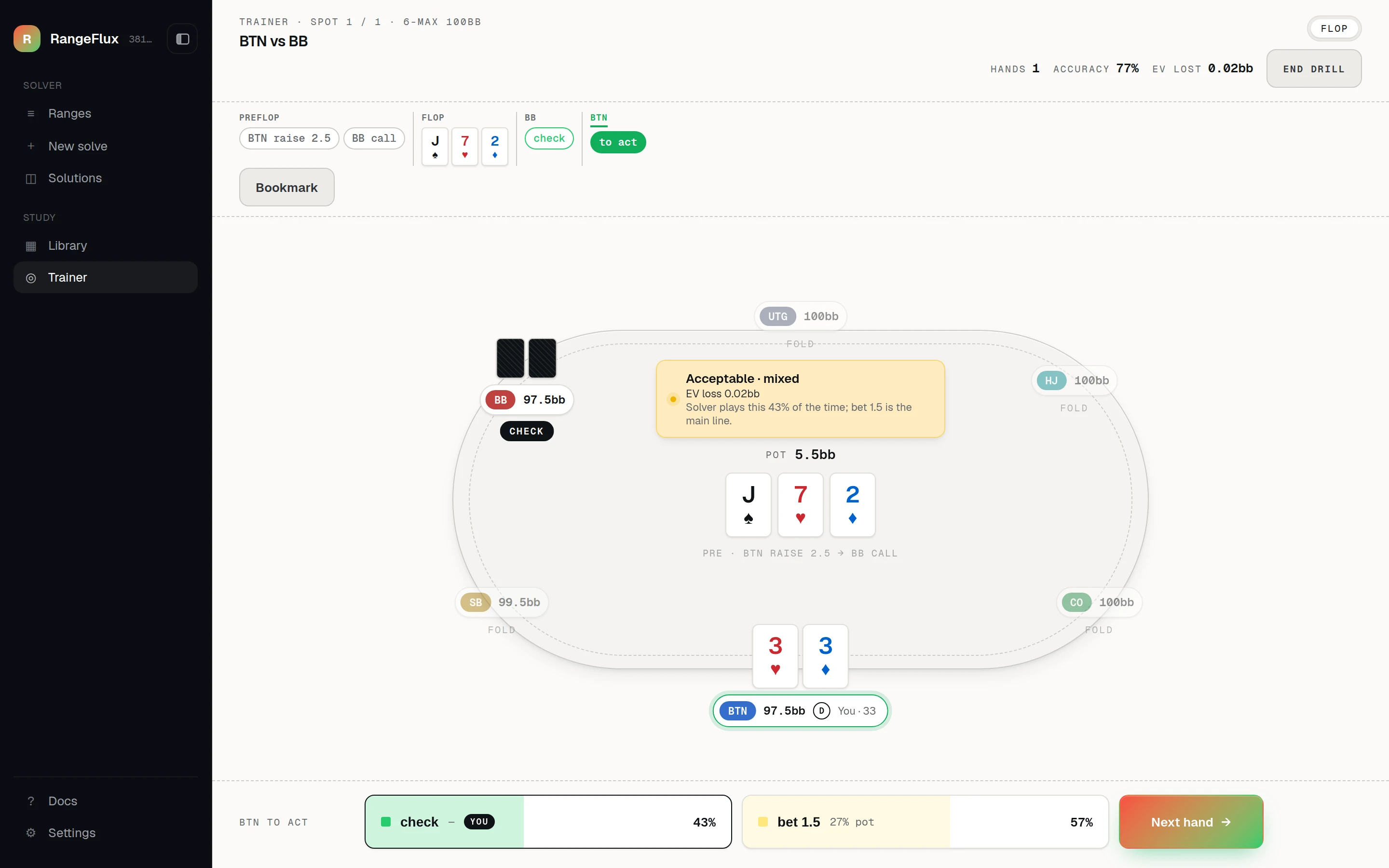
RangeFlux trainer at a six-max table, with the player to act on an ace-high flop

Trainer

Play through solved spots street by street. Each answer is graded Best, Acceptable or Mistake against the solver’s mix for the exact combo you hold, with the EV it gives up. Use the number keys to play fast.

Screens from a development build; they may change in future updates. Ranges, strategies and results shown are examples for illustration, not recommendations.

From a hand to a study session

Your first analysis, in three steps.

  1. Recreate the spot

    Set the board, pot, effective stack and both players’ ranges in New solve. Start with a heads-up postflop decision you want to revisit.

  2. Run the calculation

    Choose your bet sizes and start the cloud solve. Your computer does not need to run the solver engine.

  3. Compare and review

    Open the result in Solutions. Compare action frequencies and EV, then follow the tree to see how the next decision changes.

Follow the first-solve guide →
Before you start

What you can study, and what is included.

When can I use it?

Now. RangeFlux is open as an alpha: open the web app and sign in with Google — no installation is needed. Features and limits may change during the alpha.

On the free plan, each action supports one bet size, with up to two raises per street (all-in counts as that one size). Paid plans allow any number of sizes and up to six raises per street.

See pricing and free-plan limits →

Questions about the solver

What is a GTO solver?

It numerically finds strategies that are difficult to exploit, given the ranges, bet sizes and other conditions you set. The output depends on those inputs and does not guarantee that you will win each hand.

GTO basics and solve settings →
Can I solve preflop or multiway pots?

Custom solves cover heads-up postflop in no-limit Texas Hold’em: two players remaining after the flop is dealt. You provide preflop ranges as inputs; the solver does not calculate preflop play, pots with three or more players, or ICM tournament strategy.

Do I need a powerful computer?

No. Cloud solves run on our servers, so a browser and an internet connection are enough. Solving on your own computer with the desktop app is optional and does not use your monthly cloud solves.

How do I start my first analysis?

Sign in, open New solve and enter the board, pot, effective stack and both ranges. The step-by-step guide walks you through the settings and how to open the result.

Start your first solve →
Start studying with RangeFlux.

RangeFlux is in alpha. Open the web app and run your first solve on the free plan.

Free plan — sign in with Google. Nothing to install.